
Robots.txt for SEO: What to Block and What Never to Block
What robots.txt really controls, the rules Google follows, five mistakes that quietly hurt rankings, and a safe starter file for small sites.
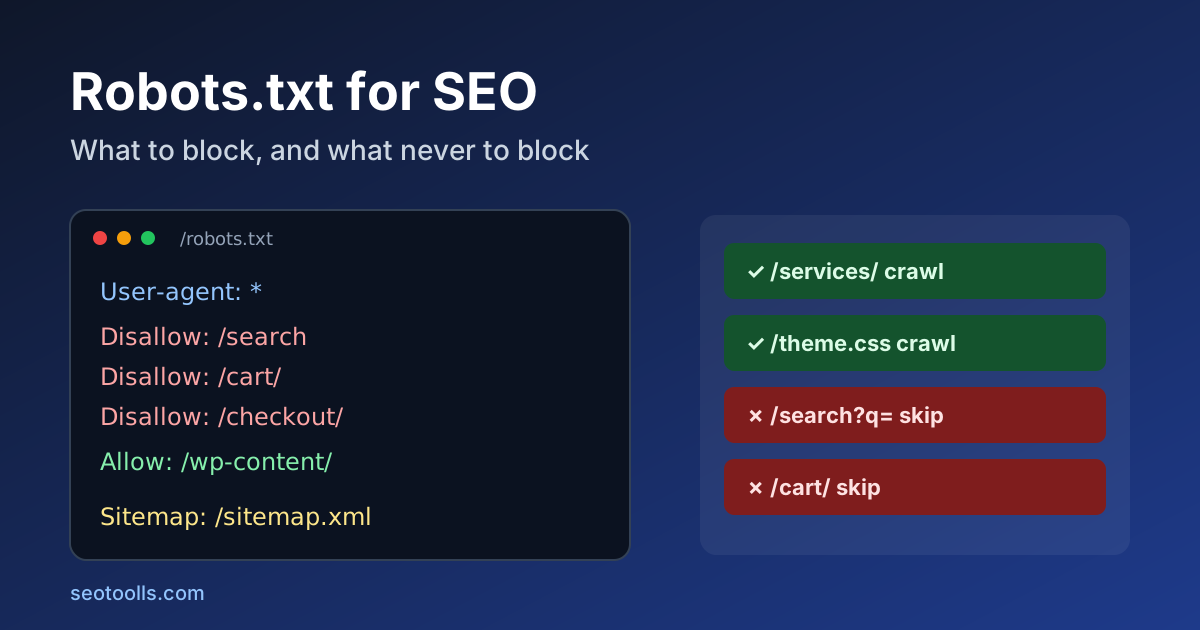
Robots.txt is the smallest file on most websites and one of the easiest to get wrong. A single line can stop Google from crawling your whole site, and a well-meant rule can leave a page you wanted hidden sitting in search results with no description. Most of the problems we see on small sites are not exotic. They come from treating robots.txt as a privacy tool or a way to remove pages, which it is not.
This guide explains what the file actually does, how Google reads it, what is worth blocking, what you should never block, and how to test a change before it goes live. Everything here is based on Google Search Central's robots.txt documentation, checked on 15 October 2026.
Quick answer
Robots.txt tells crawlers which URLs they may fetch. It does not decide what gets indexed. Use it to keep crawlers away from low-value URLs such as internal search results, endless filter combinations and admin areas. To keep a page out of Google, use a noindex robots meta tag or password protection instead, and make sure that page is not blocked in robots.txt, otherwise Google never sees the noindex.
What robots.txt does and does not do
Google describes robots.txt as a way to manage crawler traffic, mainly so your server is not overloaded and crawlers do not waste time on unimportant or near-duplicate pages. Its own introduction is blunt: it is not a mechanism for keeping a web page out of Google.
The reason is simple. If a blocked URL is linked from somewhere else, Google can still index the address without crawling it. The result is a search listing with your URL and no description, which is usually worse than either outcome you wanted.
A few other limits matter in practice:
- It is public. Anyone can open
/robots.txt. Listing a secret folder there advertises it. - It is voluntary. Google and other major search engines follow it. Scrapers and bad bots often do not.
- It applies to one host. The file at
https://example.com/robots.txtdoes not coverhttps://shop.example.com/or thehttp://version. Each subdomain, protocol and port needs its own file at its root.
How Google reads the file
Google supports only four fields: user-agent, allow, disallow and sitemap. Anything else, including crawl-delay, is ignored by Google. A noindex line inside robots.txt has not worked for Google for years, so remove it if you still have one.
When several rules match the same URL, Google uses the most specific one, meaning the rule with the longest matching path. If an allow rule and a disallow rule are equally specific, Google picks the less restrictive one, the allow. Two wildcards are supported: * matches any sequence of characters and $ marks the end of a URL. Paths are case-sensitive, so /Admin/ and /admin/ are different rules.
Other details from Google's documentation that catch people out:
- The file must be UTF-8 plain text. Google ignores anything after the first 500 KiB.
- Google normally caches robots.txt for up to 24 hours, so a fix does not take effect the moment you save it.
- The
sitemapline needs a full URL, for exampleSitemap: https://example.com/sitemap.xml, and it can sit anywhere in the file.
Status codes change everything
How your server answers the robots.txt request matters as much as what the file says:
| Response | What Google does |
|---|---|
| 200 | Reads and follows the rules in the file. |
| 404 or other 4xx (except 429) | Treats the site as having no robots.txt, so everything may be crawled. |
| 5xx, timeouts or DNS errors | Stops crawling the site for the first 12 hours, then uses the last good copy for up to 30 days while it keeps retrying. |
| Redirects | Follows at least five hops, then treats the file as missing. |
The 5xx row is the dangerous one. A misconfigured firewall or CDN rule that returns errors for /robots.txt can pause crawling of a healthy site. You can check the exact status code and headers your server returns with the HTTP Headers Checker, and our HTTP status codes checklist covers the wider picture.
What is usually worth blocking
Block URLs that create crawl work without giving searchers anything new:
- Internal search results, such as
/search?q=or/?s=. They can generate an unlimited number of thin pages. - Faceted and filter combinations on shops and directories, for example sort orders and stacked filters like
?color=red&size=m&sort=price. Keep the main category pages crawlable. - Cart, checkout and account pages. They are useless in search and personal by nature.
- Admin and login areas, as long as they are also protected by a password. Robots.txt only saves crawl effort here; it does not secure anything.
- Staging copies only if they cannot be password-protected. A login is far safer, because a blocked staging site can still leak into results through links.
What you should never block
- CSS, JavaScript and images that pages need to render. Google renders pages much like a browser. If it cannot load your stylesheets or scripts, it may not see your content or layout properly. Our JavaScript SEO checklist shows how to spot this.
- Pages you want removed from search. Use
noindexand leave them crawlable until they drop out. - Pages with a canonical tag pointing elsewhere. Google needs to crawl the duplicate to see the canonical. Our guide to meta tags that matter explains canonical and robots meta tags.
- Your whole site by accident.
Disallow: /underUser-agent: *blocks everything. It is often copied from a staging setup during launch and forgotten.
Five mistakes we see on small sites
- Launching with the staging file. The site goes live with
Disallow: /and nobody notices until traffic never arrives. Add a robots.txt check to your launch list. - Blocking a folder to hide it. The folder name is now public, and any linked file inside can still be indexed without a description.
- Block plus noindex on the same page. The block stops Google from ever reading the noindex, so the page can stay in results.
- Forgetting how prefixes match.
Disallow: /blogalso blocks/blog-tipsand/blogger.html, because rules match from the start of the path. Use/blog/if you only mean the folder. - Relying on crawl-delay. Google ignores it. If Googlebot is genuinely overloading your server, fix server capacity or caching first.
A safe starter file
For a typical small business site or blog, this is a reasonable starting point. Adjust the paths to match your platform, and remove any line that does not apply:
User-agent: *
Disallow: /search
Disallow: /cart/
Disallow: /checkout/
Disallow: /account/

Sitemap: https://example.com/sitemap.xml
If you run WordPress, the platform already serves a virtual robots.txt that blocks /wp-admin/ while allowing admin-ajax.php. Do not block /wp-content/ or /wp-includes/, because your theme's CSS and JavaScript live there.
You can build a file like this with the Robots.txt Generator, then create or check the sitemap you reference with the XML Sitemap Generator.
AI crawlers: a separate decision
Many site owners now add rules for AI crawlers. That is a business decision, not an SEO fix. Google uses a separate token, Google-Extended, for some of its AI uses, and Google states that it does not affect inclusion in Google Search. Blocking Googlebot itself, on the other hand, removes you from search. Other companies publish their own crawler names, so check each one's documentation before you add a rule, and remember that a robots.txt rule only stops crawlers that choose to obey it.
How to test a change before it goes live
- Write down the URLs that must stay crawlable: home page, key category and product or service pages, top blog posts, and the CSS and JS files they load.
- Check each of them against the new rules, remembering that the longest match wins.
- Confirm
/robots.txtreturns 200 with atext/plaincontent type. - After publishing, open the robots.txt report in Google Search Console to see the version Google fetched and any parsing problems, then use URL Inspection on one or two important pages.
- Recheck after any CDN, firewall or hosting change, since those are the usual cause of surprise 5xx responses.
If you want a broader pass over crawl and index settings, our indexable page QA checklist walks through the rest.
FAQ
Does every website need a robots.txt file?
No. Without one, Google assumes it may crawl everything, which is fine for many small sites. Add a file when you have URLs worth keeping crawlers away from or want to point to your sitemap.
Will blocking a page in robots.txt remove it from Google?
Not reliably. The URL can still be indexed from links and shown without a description. Use noindex or password protection, and keep the page crawlable until it is gone.
How long does a robots.txt change take to work?
Google usually caches the file for up to 24 hours, so allow at least a day. Pages blocked or unblocked after that still need to be recrawled.
Can I block a single file type, such as PDFs?
Yes. Disallow: /*.pdf$ blocks URLs ending in .pdf for crawlers that support wildcards, including Googlebot. For keeping PDFs out of results, an X-Robots-Tag: noindex HTTP header is the more dependable option.
Sources
- Google Search Central, Introduction to robots.txt, checked 15 October 2026.
- Google Search Central, How Google interprets the robots.txt specification, checked 15 October 2026.
- Google, Google's common crawlers (Google-Extended).
- IETF, RFC 9309: Robots Exclusion Protocol.
Related SEO guides
Meta Tags for SEO: Which Ones Google Uses and Which to Skip
Which meta tags Google actually reads, which ones only matter for social sharing, and which you can safely delete, with a 10-minute audit.
HTTP Status Codes for SEO: Redirect and Error Checklist
Learn how Google treats 200, 301, 302, 404, 410, 429 and 5xx responses, then fix redirect chains, soft 404s and sitemap errors on a small site.
Indexable Page QA Checklist for Small Websites
Check crawl access, robots rules, canonicals, metadata, internal links, content value, mobile rendering, and conversion paths before publishing a page.